

Skip to content
Cleaning Operator

Starting out

For new and small cleaning businesses

The 10pm booking text, the paper diary, the WhatsApp rota and the Word invoice, replaced by one system you can run from a phone. £59 / $79 a month, 14-day free trial, cancel anytime.

14-day free trial on every plan. Cancel anytime, no lock-in contract.

A cleaner carries a cleaning caddy and broom up tiled stairs in a home
A cleaner carrying kit up the stairs of a client's home
Screenshot of Public booking form — Schedule

The problem, then the fix

Sound familiar?

Each problem below is a real line from a cleaning business owner, and each fix is what the product does about it. Click through to see the full feature.

The problem

New customers message at 10pm wanting a slot, and by morning they've booked someone else.

With Cleaning Operator

New customers book whenever they're ready, from a link with no login. They choose the service and time, and add their address and payment.

  • Visitor steps: Your Details → Address → Service → Requirements (if any) → Schedule → Payment & Details
  • Shared by link or embedded on your website
  • If public booking is switched off, visitors see that booking is unavailable

The problem

Every evening brings texts asking when the next clean is, or to swap the card on file.

With Cleaning Operator

Customers answer these questions themselves. They sign in to see upcoming visits, book again, update addresses, manage cards and look back at past cleans.

  • Pages: Overview, New Booking, History, Profile and Billing
  • Customers sign in on your subdomain
  • Dashboard access can be switched off; customers are then blocked when they try to log in

The problem

Chasing card payments after the visit and tracking who paid cash takes hours every week.

With Cleaning Operator

Everything owed sits together, split by card, cash and invoice. Charge in bulk, retry a failed card, refund or mark cash paid.

  • Bookings → Charges, worked by Card, Cash or Invoice
  • Charge in bulk and work a time window of months
  • Tick notify the customer on a charge, retry or refund to send an email or SMS
  • Email works on every plan; SMS needs the Business plan or above

The problem

Asking a customer for money feels awkward, so overdue invoices sit for weeks before I send a reminder.

With Cleaning Operator

Reminders go out automatically before the due date, then repeat on your schedule once overdue. Invoices carry your logo, tax ID and contact details.

  • Reminder 1 and Reminder 2 days before due, plus an overdue reminder with a frequency and hour of day
  • Reminders need a verified sender email in Email Settings
  • Company branding on invoices: name, address, phone, email, website, tax ID and logo

The problem

The customer asked for the bedding to be changed, and the cleaner never heard about it.

With Cleaning Operator

Everything for the visit sits on one screen: address, service, time, your notes, directions and the checklist, which can block clock-out until it's done.

  • Clock in and out, with optional required photos; same-day and re-clock rules apply
  • Checklists: ticks, photos and signatures; clock-out can be blocked until they are done
  • Get Directions can text the customer an approximate arrival time when ETA SMS is on and the job is today
  • The arrival-time text needs SMS, which is on the Business plan or above

The problem

I don't want cleaners seeing what the customer pays, or taking their mobile number for private work.

With Cleaning Operator

You decide what cleaners see. Switch prices, pay, customer email and phone on or off, and require photos at clock-in and clock-out.

  • Show Booking Price, Show Provider Payment, Show Customer Email, Show Customer Telephone and Show Own Rating
  • Enable Clock In/Out, Require Clock In Photo and Require Clock Out Photo

Professional, £59 / $79 a month

The plan that fits: Professional.

8 cleaner accounts is room for your first hires, and you do not have to use them until then. The setup wizard has a solo path as well as a team one.

Professional

For small cleaning teams getting bookings, the calendar and payments in one place.

£59 pounds per month$79 US dollars per month

Includes a 14-day free trial

cleaner accounts
8
office users
3
service category
1

Includes:

  • Bookings and recurring work
  • Day, week and month calendar
  • Card payments and invoicing
  • Mobile app with clock-in and job photos
Start free trial

Cancel anytime, no lock-in contract.

Every plan includes

  • Bookings and recurring work
  • Customer records
  • Day, week and month calendar
  • Card payments with Stripe
  • Invoicing
  • Messages
  • Clock-in and job photos
  • Checklists
  • Email templates
  • Cleaner contract e-signing
  • Dashboard
  • Mobile app for cleaners and the office

Bring your own accounts. Card payments run through your own Stripe account. SMS and voice calling connect through your own Twilio keys; SMS is included from the Business plan.

Which plan does what. On Professional, confirmations and reminders go by email, and timelogs export as CSV. Team calendar views, Payroll, Pay split between cleaners, Recruitment, Website builder, SMS with your own Twilio keys are on the Business plan at £119 / $149 a month. Text reminders also need your own Twilio account connected.

Honest answers

Questions owners ask first.

The questions people ask before they start a trial, answered from what the product does today.

Is £59 / $79 a month worth it when I'm only just starting?

It is £59 / $79 a month, and we will not pretend otherwise. Every plan has a 14-day free trial and you can cancel anytime from billing with no lock-in contract, so the cost of finding out is an evening. Professional includes the things you would otherwise pay for or do by hand: a booking link, card payments through your own Stripe account, invoicing with automatic reminders, customer records, a mobile app with clock-in and job photos, checklists and email templates.

I'm on my own. I don't need team software.

The setup wizard has a solo path, not just a team one. On your own, the value is the booking link that takes bookings while you are cleaning, the customer portal that stops the evening texts, saved cards through Stripe so you are not chasing payment, branded invoices, and the review request after each job. In the mobile app, the Office dashboard lets you look up customers and check the day from a customer's hallway. The 8 cleaner accounts are there for when you hire.

My customers won't book online. They text me or ring.

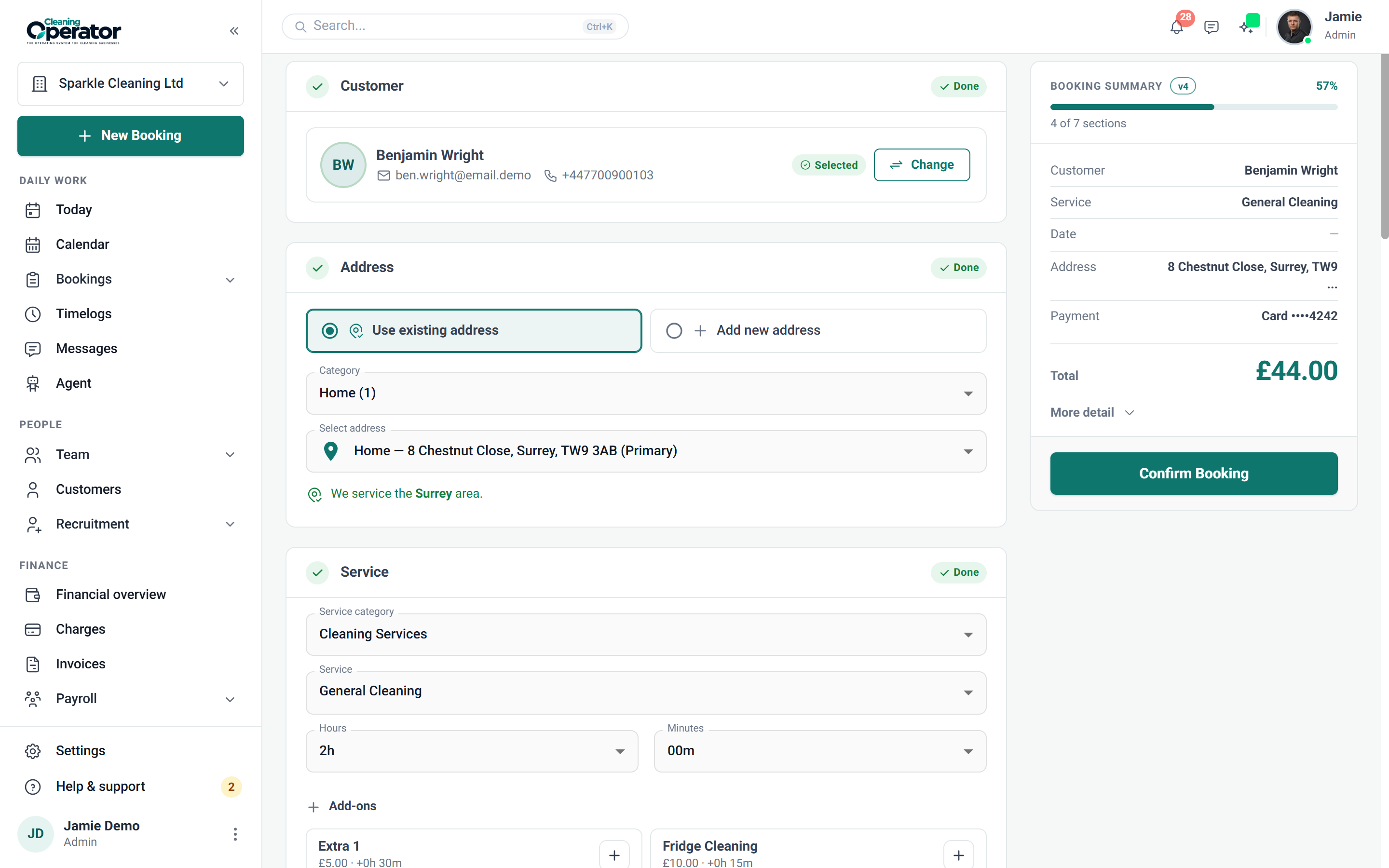
Keep taking them that way. The admin booking form is built for taking a booking over the phone before the customer hangs up: find or add the customer, pick the service and extras, choose the time, assign a cleaner and agree payment. The public form and the customer portal are there for the customers who want them, and all three use the same services, prices and availability, so nobody gets quoted two prices.

Will my customers get text reminders?

On Professional, confirmations and reminders go by email, from branded templates you can edit or switch off, and the Email Log shows what was sent. Text reminders go out 24 hours before each visit, but they need your own Twilio account connected and are a Business plan feature.

What if it doesn't work out? Will my data be stuck in there?

There is no lock-in contract and you cancel from billing. Booking data can be downloaded as a spreadsheet from Bookings → Export, and timelogs export as CSV, on every plan. The broader Data export feature is on the Enterprise plan.

Starting out

Not started yet? Read the guide first.

How to start a cleaning business in the UK in 2026: structure, insurance, DBS, pricing, hiring and your first customers, with every UK figure checked at source.

Read the guide

Start today

Run the whole cleaning company from one system.

Online booking, the live team calendar, the mobile app, card payments and invoices, and payroll from clocked hours.

14-day free trial on every plan. Cancel anytime, no lock-in contract.