
Skip to content
Cleaning Operator

Get paid faster

Payroll from clocked hours for cleaning teams

Payday means a spreadsheet, a pile of timesheets and cleaners querying their hours.Pay each cleaner from the hours they actually clocked, lock the run, and send payslips by email or to their app.

14-day free trial on every plan. Cancel anytime, no lock-in contract.

Business and abovePayroll, Pay split between cleaners.See pricing

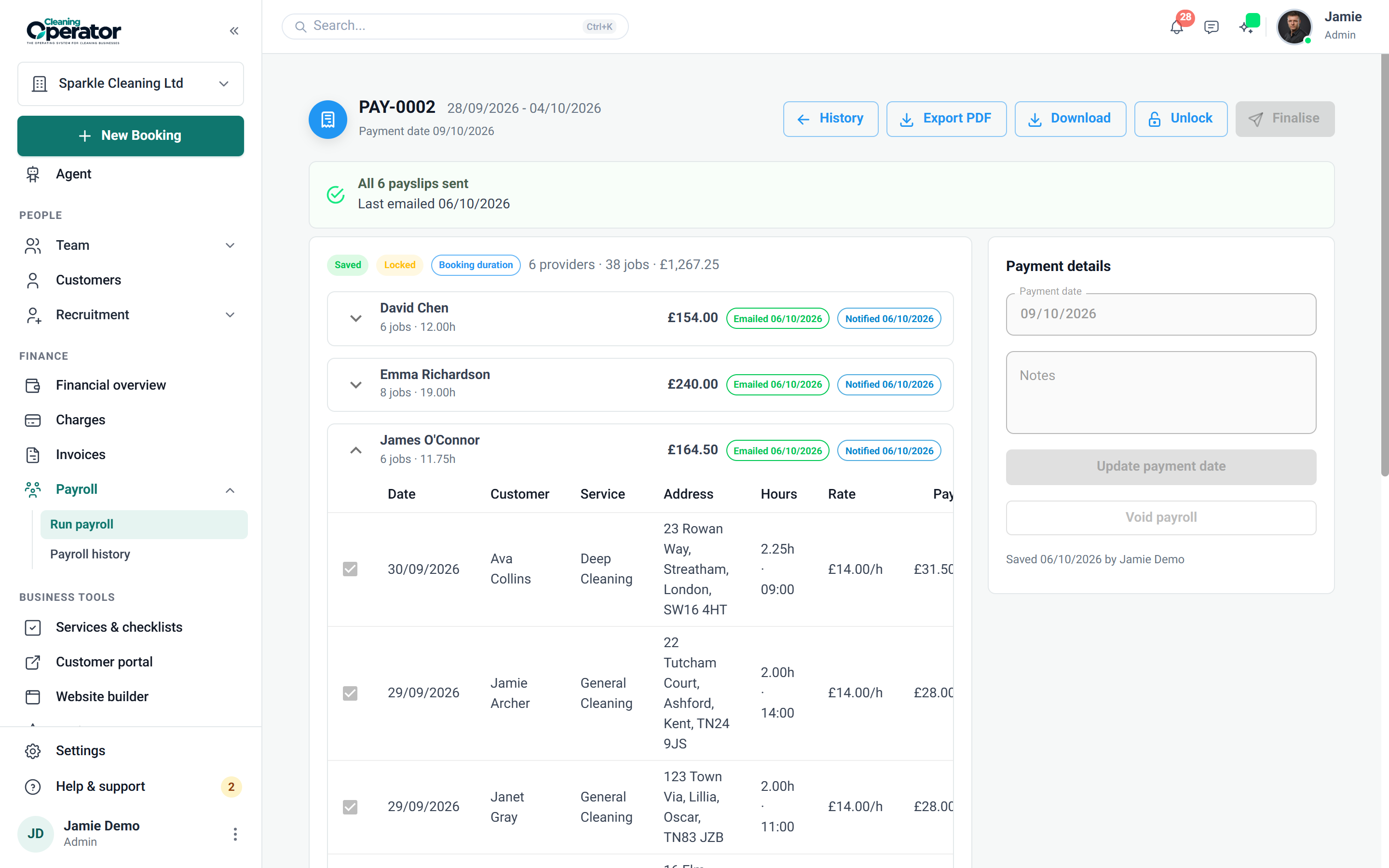
Screenshot of Payroll — Run payroll

What is included

2 features in Payroll.

The problem each one solves, then how Cleaning Operator fixes it, with the screens and settings named.

  1. Run payroll

    Builds a pay report for a date range with hours, jobs and pay per cleaner, then saves it as a locked run.

    The problem

    Business and above

    Friday afternoons go on copying jobs and hours into a spreadsheet and hoping the totals add up.

    With Cleaning Operator

    The pay report builds itself, with hours, jobs and pay per cleaner from clocked or booked time. Fix a missed clock-out, then save to lock it.

    • Pay on clocked time, or optionally on the assigned (booked) duration
    • Include or exclude job lines and edit clock-in, clock-out, hours or rate before saving
    • Export PDF, then Save payroll to lock the period as a named run
  2. Payroll history and payslips

    Saved payroll runs you can reopen, with payslips sent by email, to the app, or both.

    The problem

    Business and above

    Pay queries arrive by text, and I'm digging through old spreadsheets to show what each payment covered.

    With Cleaning Operator

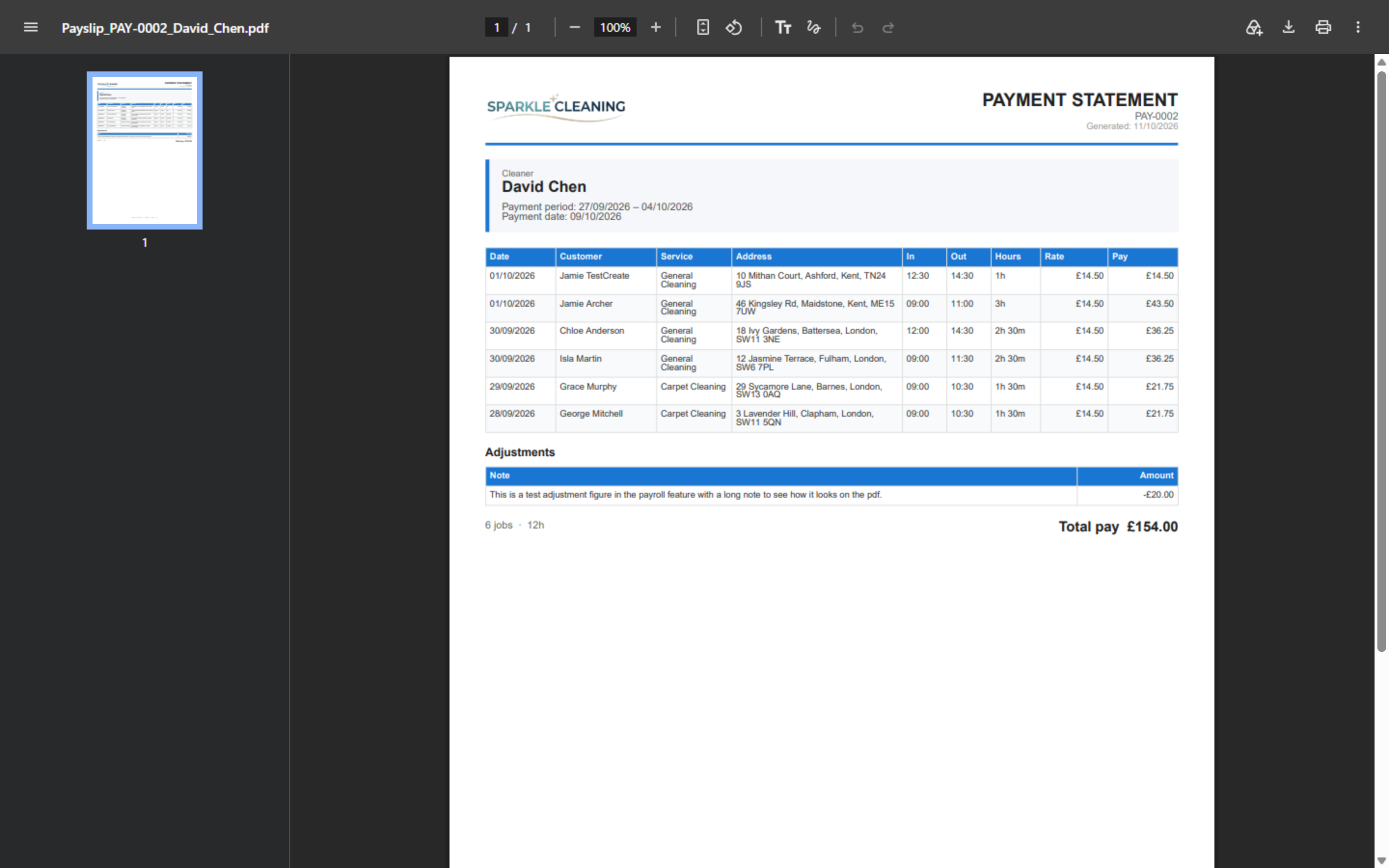
    Past runs stay saved, so you can reopen one and resend a payslip when asked. Payslips go by email, to the app, or both.

    • Payroll → Payroll history: open a run, then send payslips
    • Tick each cleaner for email and/or push notification; resend if needed
    • Payslips appear in the app's Payslips menu item when Show Provider Payment is on
    Screenshot of Payroll — Payroll history

Get paid faster

More for getting paid.

14 — Reports

Reports: See Reports features

See what you earned, what you paid, and what changed — without exporting five spreadsheets first.

  • Financial report
  • Customer reviews report
  • Booking changes log

11 — Payments

Payments: See Payments features

Take cash, save a card, or send an invoice — then collect what is due from one queue.

  • Stripe (card payments)
  • Add-card form (public / request a card)
  • Charges workbench (admin)

12 — Invoices

Invoices: See Invoices features

Send branded bills, remind people who have not paid, and let them settle from a link.

  • Invoice list and editor
  • Invoice settings

Start today

Run the whole cleaning company from one system.

Online booking, the live team calendar, the mobile app, card payments and invoices, and payroll from clocked hours.

14-day free trial on every plan. Cancel anytime, no lock-in contract.