Skip to content
Cleaning Operator

Plan every day

Customer records for cleaning companies

Customer details live in my phone, old texts, a spreadsheet and a notebook.Each customer has one record with their addresses, cards, invoices, messages and contact preferences, so anyone in the office can answer their call.

14-day free trial on every plan. Cancel anytime, no lock-in contract.

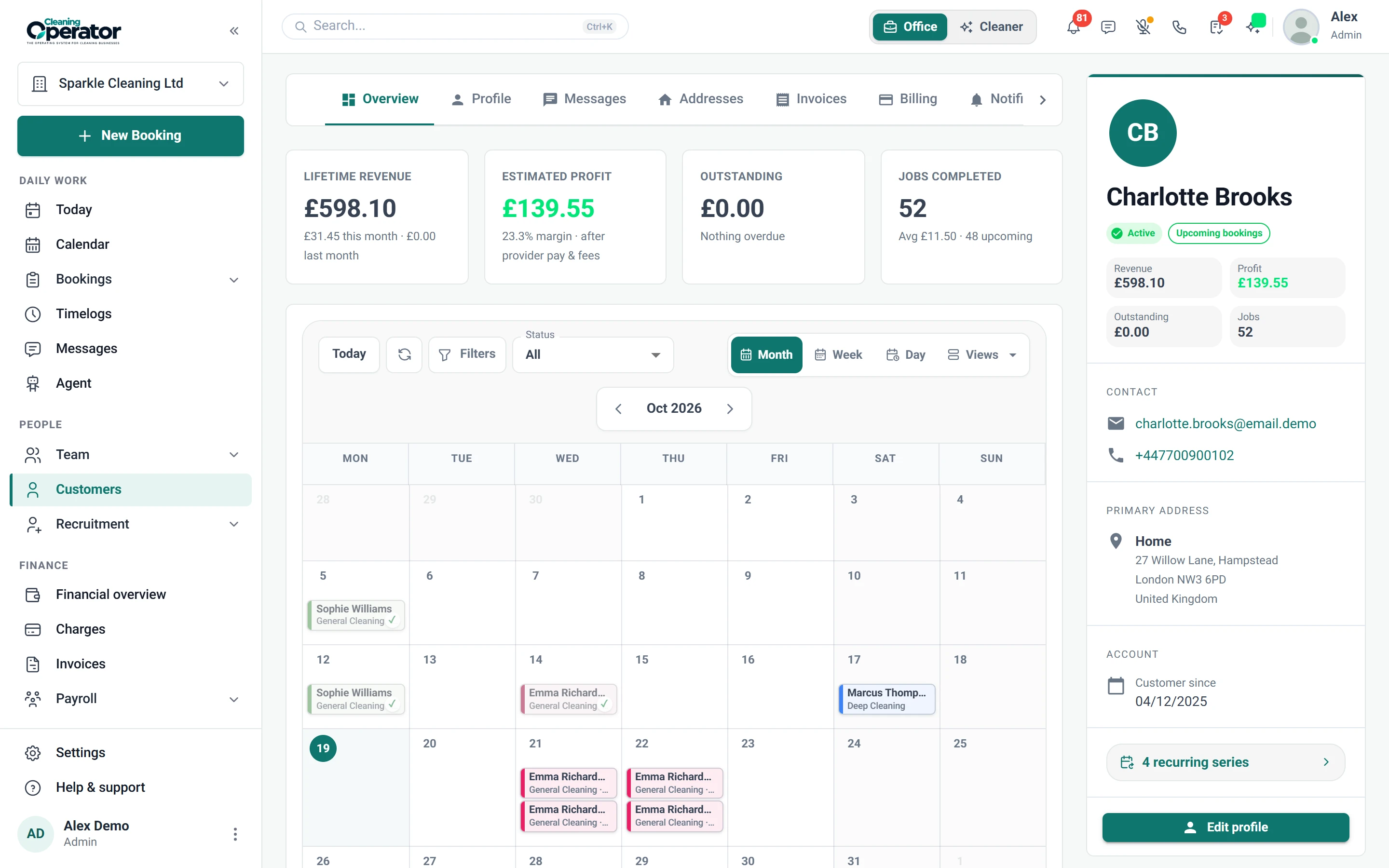
Screenshot of Customers — Customer profile

What is included

5 features in Customers.

The problem each one solves, then how Cleaning Operator fixes it, with the screens and settings named.

  1. Customer list and add customer

    Search, browse and create customers in one directory.

    The problem

    Details from new callers get scribbled on whatever paper is nearby, and some are never seen again.

    With Cleaning Operator

    New callers go straight into one customer directory, with name, email, phone and company. Everyone else is a search away.

    • Customers → All Customers lists everyone, with search
    • Add a customer with name, email, phone and optional company
    • Open a customer to reach the full profile
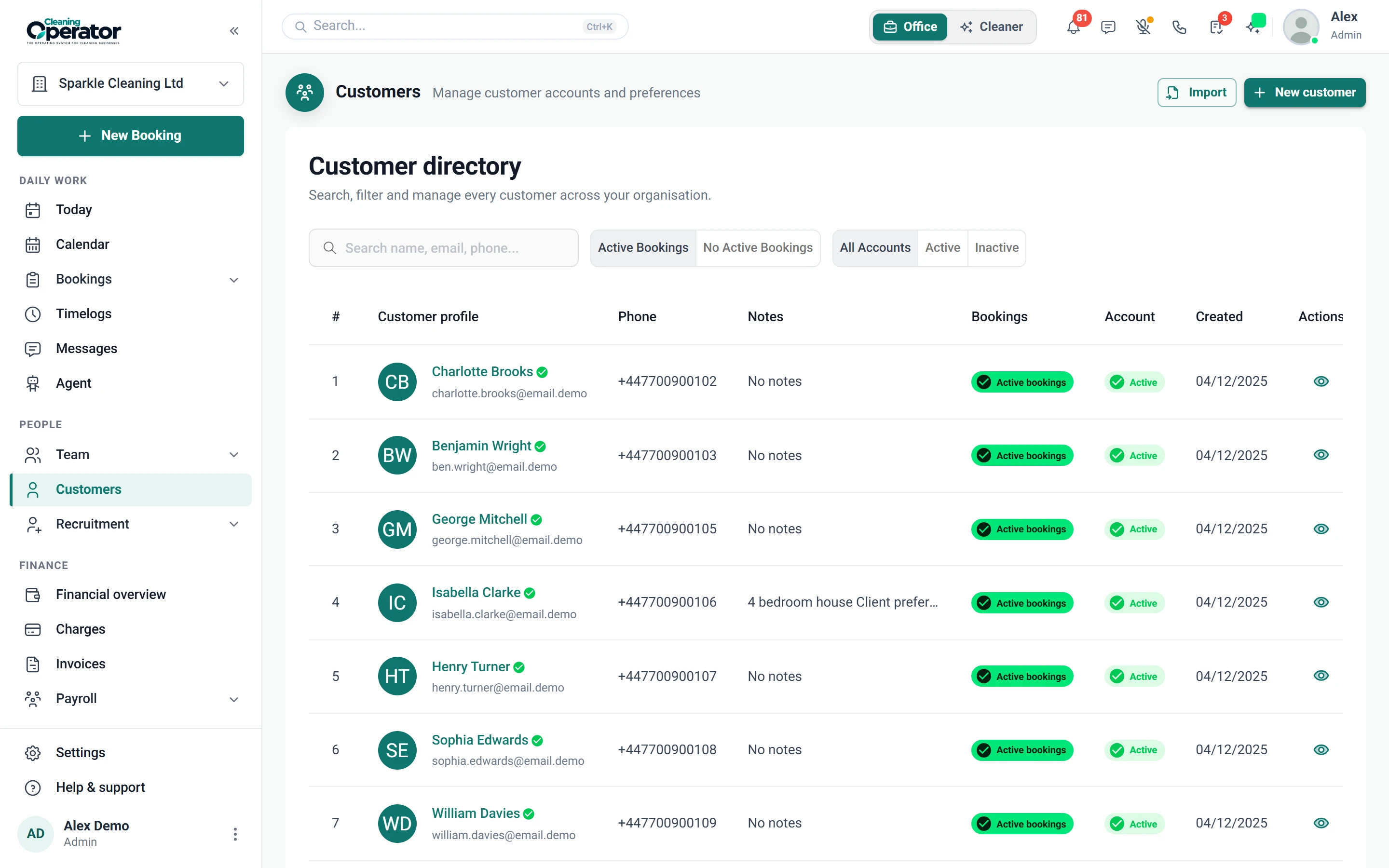
    Screenshot of Customers — All Customers
  2. Customer profile (admin)

    A single place for the customer's relationship with you: balance, addresses, invoices, cards and messages.

    The problem

    Balance queries mean checking the bank app, the diary and old texts before I can give an answer.

    With Cleaning Operator

    Their outstanding balance sits on one profile, alongside upcoming cleans, addresses, invoices, cards, messages, lifetime revenue and estimated profit.

    • Overview shows upcoming work, lifetime revenue, estimated profit and outstanding balance
    • Tabs: Overview, Profile, Messages, Addresses, Invoices, Billing, Notifications and Reviews
    • Billing can import a customer from Stripe and copy an add-card link
  3. Import customers

    Bulk-creates or updates customers from a CSV file, including optional addresses.

    The problem

    Moving across means retyping every customer and address from my old spreadsheet by hand.

    With Cleaning Operator

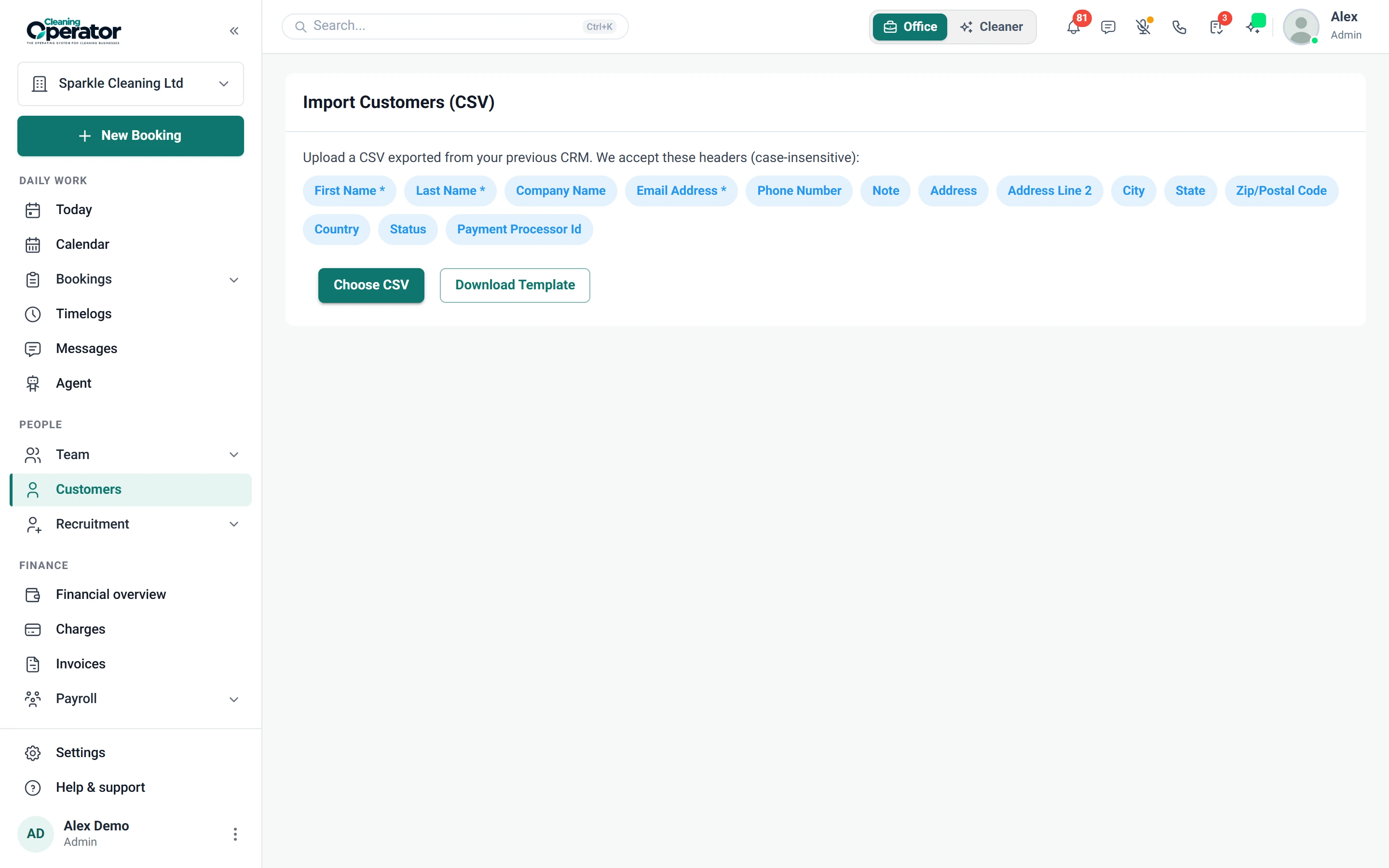
    Your whole list comes across from a spreadsheet saved as CSV. You match the columns, then check duplicates, skipped rows and address errors before importing.

    • Customers → Import: upload a CSV and map columns
    • Review duplicates, skipped rows and address errors before importing
    • Update existing emails or skip duplicates
    Screenshot of Customers — Import
  4. Customer notification preferences (admin)

    Turns email and SMS on or off for each customer, per message type.

    The problem

    One customer hates texts, another wants every reminder, and I can never remember which is which.

    With Cleaning Operator

    Texts and emails go only to customers who want them. Set each message type per customer, and they can adjust it from their portal.

    • Covers booking confirmations, updates, cancellations and reminders, review requests, provider on the way (ETA SMS), and payment confirmations and declines
    • Customers can manage these from their own portal profile too
    • Opted-out customers are skipped even if the template is on
    • Email works on every plan; SMS needs the Business plan or above, with your own Twilio keys
  5. Recurring series (customers)

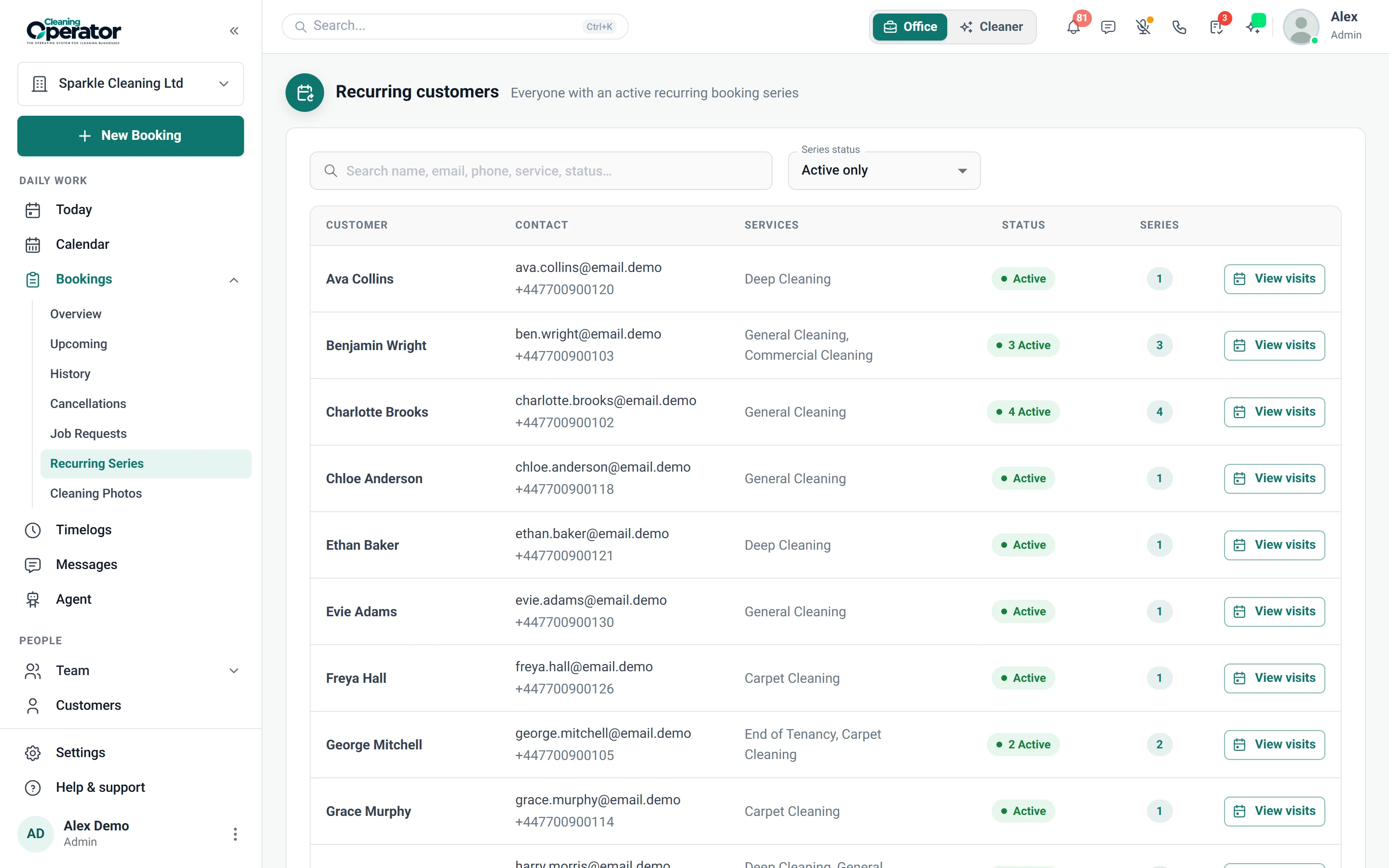
    Shows the standing repeating job behind individual visits, so the pattern can be changed in one place.

    The problem

    A regular switches from Tuesdays to Thursdays and I'm editing every future visit one at a time.

    With Cleaning Operator

    Change the pattern once, on the standing series behind the visits. When only one visit moves, jump straight to it.

    • Open from Bookings → Recurring Series or from a customer profile
    • Edit the pattern or jump to a visit
    Screenshot of Bookings — Recurring Series

Plan every day

Related features.

01 — Booking

Booking: See Booking features

Take the call yourself, let existing customers book online, or put a booking form on your website — same services, prices, and availability everywhere.

  • Admin booking form
  • Public booking form
  • Customer portal booking form (self-service)

Start today

Run the whole cleaning company from one system.

Online booking, the live team calendar, the mobile app, card payments and invoices, and payroll from clocked hours.

14-day free trial on every plan. Cancel anytime, no lock-in contract.