

Skip to content
Cleaning Operator

Cleaning type

Software for maid services

Customers book in minutes with extras and service questions, save a card as they book, and get a reminder the day before. Send one cleaner or two.

14-day free trial on every plan. Cancel anytime, no lock-in contract.

Back view of a cleaning crew in uniform carrying equipment towards a modern house
A cleaning crew arriving at a house with their equipment
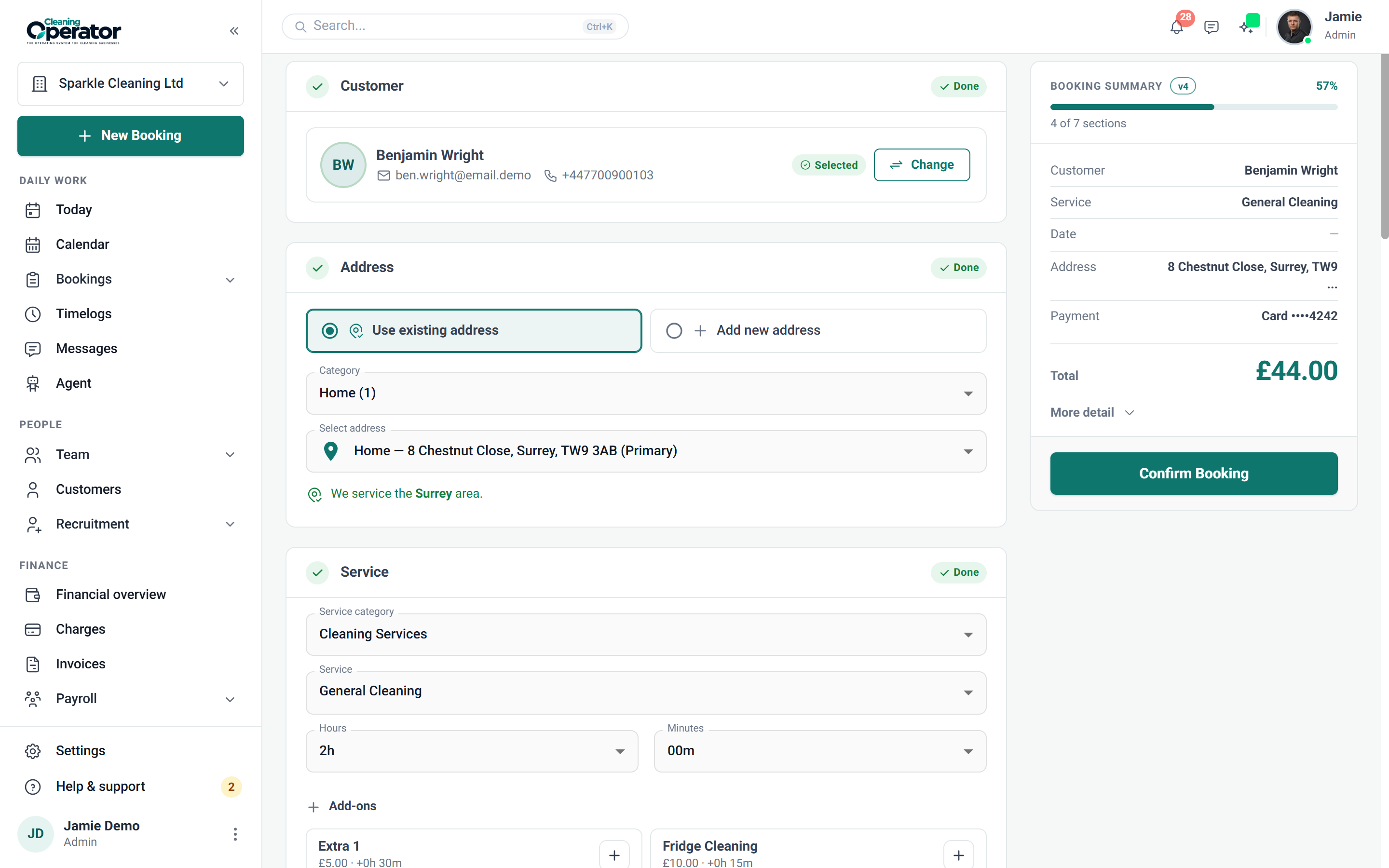
Screenshot of Public booking form — Schedule

6 features from the reference

What changes for a maid service.

Each problem and fix below is quoted from the feature reference. Maid services and home cleaning teams use the same Cleaning Operator as every other cleaning company; these are the parts that matter most.

The problem

New customers message at 10pm wanting a slot, and by morning they've booked someone else.

With Cleaning Operator

New customers book whenever they're ready, from a link with no login. They choose the service and time, and add their address and payment.

  • Visitor steps: Your Details → Address → Service → Requirements (if any) → Schedule → Payment & Details
  • Shared by link or embedded on your website
  • If public booking is switched off, visitors see that booking is unavailable

The problem

Inside the fridge gets added as an afterthought, then never reaches the bill or the cleaner's timings.

With Cleaning Operator

Add-ons go on the booking, so they reach the bill and the job. Extras appear once the service is picked, adding price, time or both.

  • Extras linked to the chosen service appear once the service is picked
  • Optional quantity with a minimum and maximum
  • Existing bookings keep the original extra name and price if an extra is later changed or removed

The problem

Cleaners turn up to find four bedrooms instead of two, or a dog nobody mentioned.

With Cleaning Operator

Details like bedrooms and pets are on the booking before anyone arrives. A service can ask its own questions, and required ones must be answered.

  • A Requirements step appears automatically when the service has questions
  • Required questions must be answered before the booker can continue
  • Answers are stored on the booking

The problem

Finding who's free on Thursday afternoon means checking three diaries and a group chat.

With Cleaning Operator

Fill a job without checking three diaries. Smart mode suggests cleaners who are free for the whole duration, or you pick one or more yourself.

  • Smart: the system suggests cleaners who are free for the duration
  • Manual: you pick the cleaners yourself
  • Customers see first name, last name, profile photo, or nothing, as set by Assigned Cleaner Details

The problem

Business plan and above

Customers forget we're coming, and the cleaner turns up to a locked door and no one home.

With Cleaning Operator

A text reminder goes out 24 hours before each visit, once Twilio is connected. You write the wording for customers, cleaners and the office separately.

  • Connect Twilio under Settings → Integrations → Twilio
  • Booking reminders go out 24 hours before the visit; that timing is fixed
  • Messages over 160 characters are sent as extra segments and cost more

The problem

I never get round to asking for reviews, so my Google listing doesn't reflect the work we do.

With Cleaning Operator

Asking happens without you remembering. A private rating link follows each completed job, and a high rating brings up your Google review message.

  • Settings → Review Settings: Enable customer reviews, Send review request, and the Delay after the job
  • Minimum rating (1–5) before the follow-up message shows; the follow-up text is free text (for example “please review us on Google”)
  • A live preview of the customer form sits on the settings page

Booking → the day → paid

A new customer, from your link to the charge.

  1. 01Booking

    A new customer books from your link

    New customers book whenever they're ready, from a link with no login. They choose the service and time, and add their address and payment.

    Visitor steps: Your Details → Address → Service → Requirements (if any) → Schedule → Payment & Details

    Booking → Public booking form

  2. 02The day

    The team arrives with the job on their phones

    Everything for the visit sits on one screen: address, service, time, your notes, directions and the checklist, which can block clock-out until it's done.

    Get Directions can text the customer an approximate arrival time when ETA SMS is on and the job is today

    Cleaner dashboard → Job details

  3. 03Paid

    Cards are charged after the clean

    Everything owed sits together, split by card, cash and invoice. Charge in bulk, retry a failed card, refund or mark cash paid.

    Charge in bulk and work a time window of months

    Payments → Charges workbench (admin)

Professional, from £59 / $79 a month

The plan for a maid service.

For small cleaning teams getting bookings, the calendar and payments in one place. Every plan includes a 14-day free trial, and you can cancel anytime from billing.

Professional

For small cleaning teams getting bookings, the calendar and payments in one place.

£59 pounds per month$79 US dollars per month

Includes a 14-day free trial

cleaner accounts
8
office users
3
service category
1

Includes:

  • Bookings and recurring work
  • Day, week and month calendar
  • Card payments and invoicing
  • Mobile app with clock-in and job photos
Start free trial

Cancel anytime, no lock-in contract.

On Business, £119 pounds per month$149 US dollars per month a month

Everything in Professional, plus:

  • 20 cleaner accounts
  • 10 office users
  • 3 service categories
  • Team calendar views
  • Payroll
  • Pay split between cleaners
  • Recruitment
  • Website builder
  • SMS with your own Twilio keys

Customers, bookings and cleaners carry across when you move up.

Every plan includes

  • Bookings and recurring work
  • Customer records
  • Day, week and month calendar
  • Card payments with Stripe
  • Invoicing
  • Messages
  • Clock-in and job photos
  • Checklists
  • Email templates
  • Cleaner contract e-signing
  • Dashboard
  • Mobile app for cleaners and the office

Bring your own accounts. Card payments run through your own Stripe account. SMS and voice calling connect through your own Twilio keys; SMS is included from the Business plan.

Questions

Questions from maid services and home cleaning teams.

Answered from the feature reference and the pricing page, not from a sales call.

Can customers add extras like inside the oven or the fridge?

Yes. Extras linked to the chosen service appear once the service is picked, each adding price, time or both. An extra can carry a quantity with a minimum and maximum, and existing bookings keep the original extra name and price if an extra is later changed or removed.

Can we give an arrival window instead of a fixed time?

Yes. A service can offer an optional arrival window instead of a single clock time, and in Smart mode customers only see times with a free cleaner.

Is the card taken at booking?

Customers choose cash or card while booking, depending on your Customer Portal settings. A saved card can be used or a card added during booking, through your own Stripe account, and you charge it after the clean from Bookings → Charges.

Can we send two cleaners to one job?

Yes. Put one or more cleaners on a job, either from a Smart suggestion of who is free for the whole duration or by picking them yourself. Customers see first name, last name, profile photo, or nothing, as set by Assigned Cleaner Details.

Do customers get a reminder the day before?

Branded email confirmations and reminders are on every plan. SMS reminders go out 24 hours before the visit, which is fixed, and need the Business plan with your own Twilio account connected under Settings → Integrations → Twilio.

Something not covered? Contact us

Start today

Booked in minutes, paid after the clean.

Extras and service questions on the form, cards saved at booking, teams of two and a reminder the day before.

14-day free trial on every plan. Cancel anytime, no lock-in contract.