Skip to content
Cleaning Operator

Win more work

Customer portal for cleaning clients

Regulars ring the office to book, change a card or check their next clean.Your regulars get their own login, so they book, update cards and check upcoming visits without ringing you.

14-day free trial on every plan. Cancel anytime, no lock-in contract.

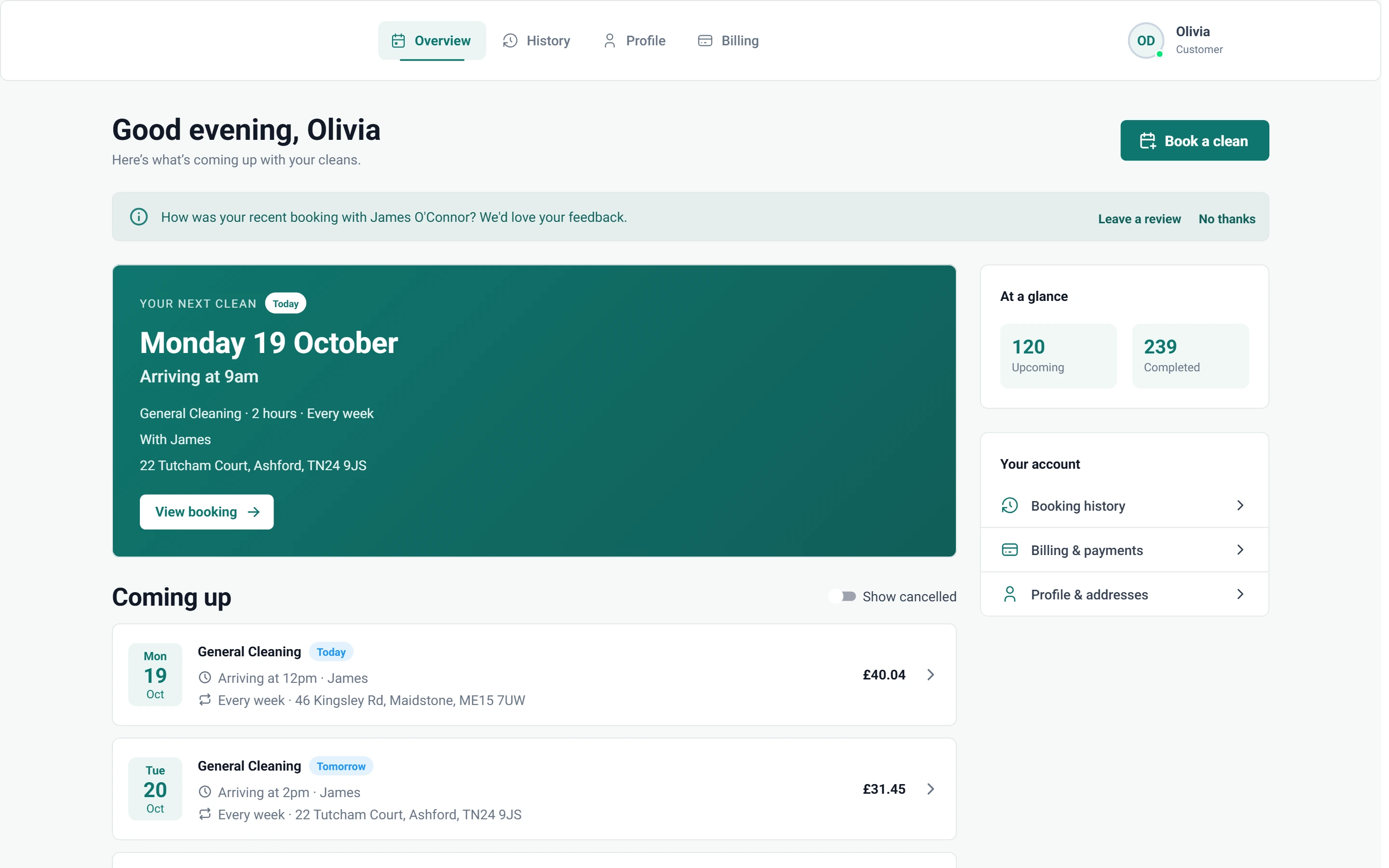
Screenshot of Customer portal — Overview

What is included

1 feature in Customer portal.

The problem each one solves, then how Cleaning Operator fixes it, with the screens and settings named.

  1. Customer portal

    A signed-in area where customers see upcoming visits, book again, update addresses, manage cards and look at history.

    The problem

    Every evening brings texts asking when the next clean is, or to swap the card on file.

    With Cleaning Operator

    Customers answer these questions themselves. They sign in to see upcoming visits, book again, update addresses, manage cards and look back at past cleans.

    • Pages: Overview, New Booking, History, Profile and Billing
    • Customers sign in on your subdomain
    • Dashboard access can be switched off; customers are then blocked when they try to log in
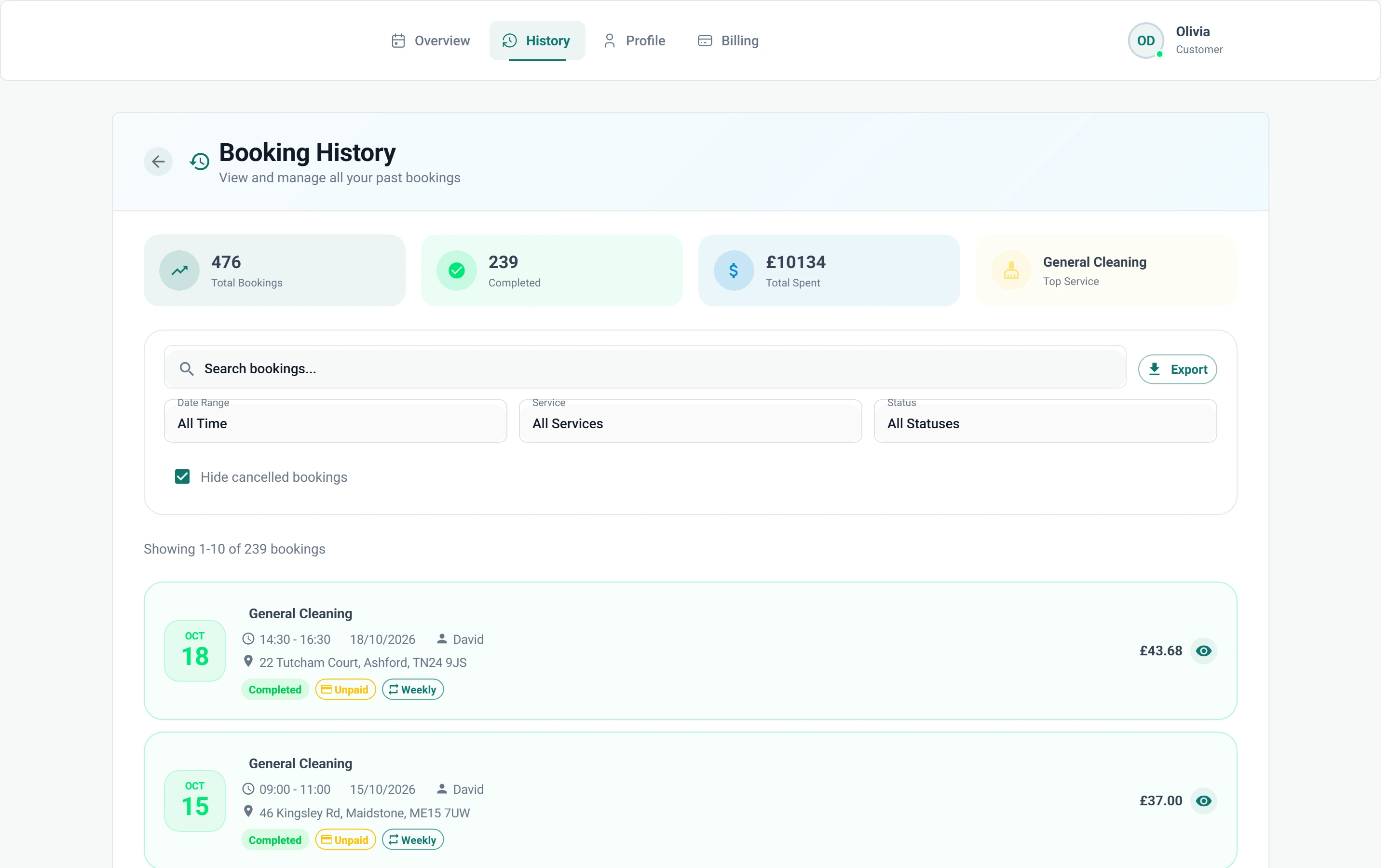
    Screenshot of Customer portal — History

Win more work

More ways to win work.

04 — Reviews

Reviews: See Reviews features

Ask for a rating after the visit, then point happy customers to Google.

  • Review request and public review page

01 — Booking

Booking: See Booking features

Take the call yourself, let existing customers book online, or put a booking form on your website — same services, prices, and availability everywhere.

  • Admin booking form
  • Public booking form
  • Customer portal booking form (self-service)

Start today

Run the whole cleaning company from one system.

Online booking, the live team calendar, the mobile app, card payments and invoices, and payroll from clocked hours.

14-day free trial on every plan. Cancel anytime, no lock-in contract.