Skip to content
Cleaning Operator

Run the office

AI assistant for cleaning companies

Admin swallows the day: moving bookings, chasing payments, approving hours, and the phone keeps ringing.Cleaning Operator's AI assistant does most of what an admin does on the dashboard, by chat or live voice, hands-free when you say its name, inside rules you set.

14-day free trial on every plan. Cancel anytime, no lock-in contract.

Enterprise planAI assistant.See pricing

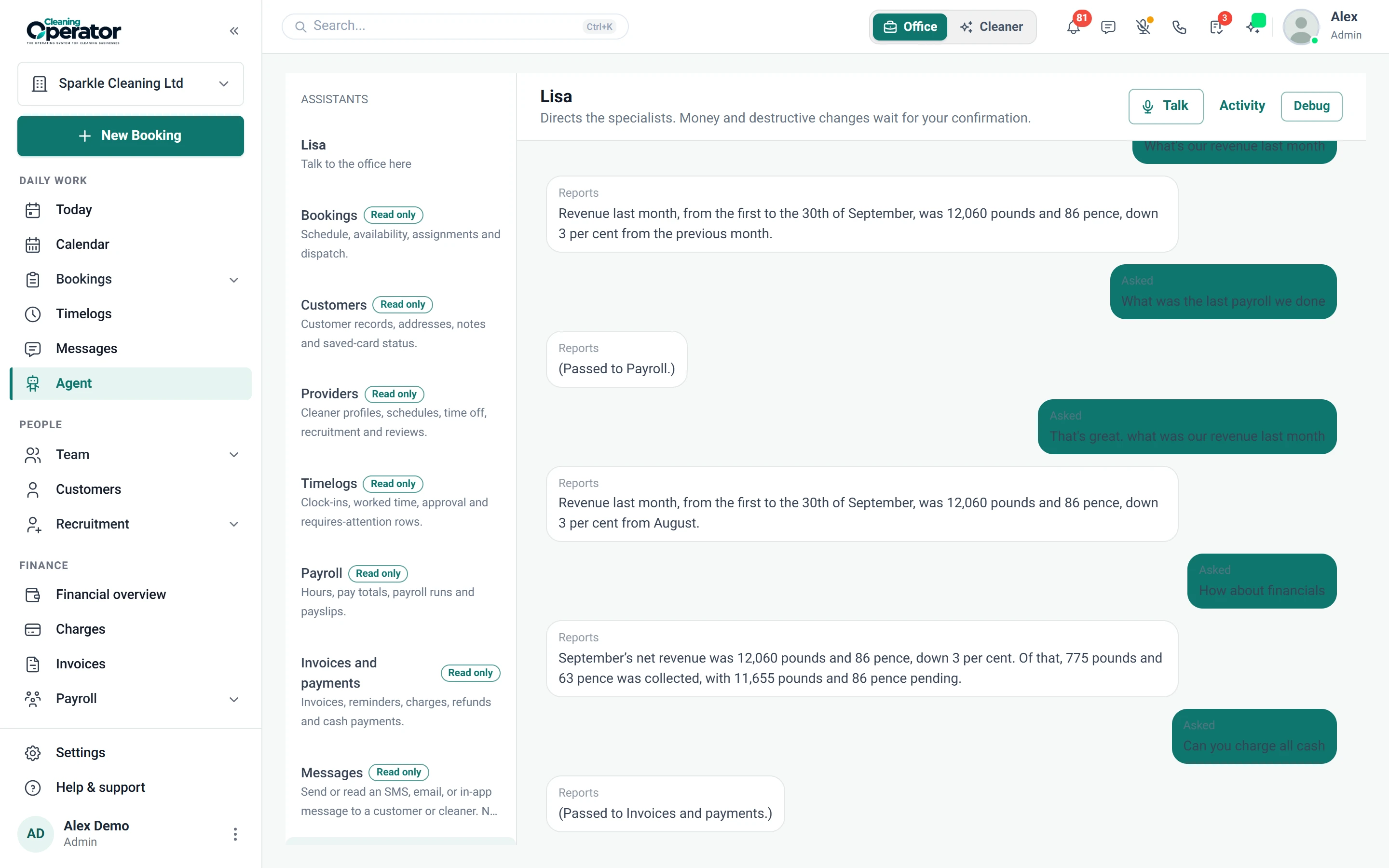
Screenshot of Agent — Head office

What is included

6 features in AI assistant.

The problem each one solves, then how Cleaning Operator fixes it, with the screens and settings named.

  1. Agent page and side drawer

    Chat with the assistant on its own Agent page or in a side drawer available across the admin dashboard.

    The problem

    The answer I need is three screens away, and I'm still on the phone with the customer.

    With Cleaning Operator

    Ask from any page in plain English. The side drawer opens without leaving the screen you are on; the Agent page holds longer conversations and background tasks.

    • A side drawer on every page of the admin dashboard, and a full Agent page for longer work
    • Nine specialist assistants work together: head office, bookings, customers, cleaners, timelogs, payroll, finance, messages and reports
    • Chat is in the mobile app too, with dictation and read-aloud
  2. Live voice chat

    Real-time spoken conversation with the assistant in the web dashboard.

    The problem

    My hands are full, and I still need to move a booking and check who is free.

    With Cleaning Operator

    Talk to it like a colleague. Live voice chat in a natural, human-sounding voice looks things up and gets them done while you keep working.

    • Live voice in the web dashboard, with natural, human-sounding voices
    • New bookings, customers and addresses are read back to you before they are saved
    • Spoken approval for higher-risk actions can require a confirm phrase and a two-digit code
  3. Hands-free wake word

    Saying the assistant's configured name starts a live voice session in the web dashboard.

    The problem

    Stopping to click through the dashboard breaks the flow of a busy morning.

    With Cleaning Operator

    Say the assistant's name, the way you would call a smart speaker, and it starts a voice conversation. No clicking.

    • You choose the assistant's name under Settings
    • A chime confirms it heard its name; listening pauses during a call
    • Works in the web dashboard in browsers with speech recognition; listening can be switched off per browser
  4. What it can do

    Lookups and actions across bookings, customers, invoices, payments, timelogs, payroll, messages and recruitment.

    The problem

    Every booking change, invoice and payslip means another five clicks and another five minutes.

    With Cleaning Operator

    Most of the admin dashboard, done by asking. It looks things up instantly and prepares changes for you to approve, or runs them itself where you allow it.

    • Create, move, cancel and assign bookings; add or update customers and addresses
    • Create and send invoices, record payments, take card payments and send reminders
    • Approve timelogs, run payroll and send payslips, send SMS and email, and move applicants through hiring
  5. Approvals and safeguards

    Per-action autonomy levels, money limits, role rules, daily caps and an audit trail.

    The problem

    I don't want software spending money or cancelling jobs without me knowing.

    With Cleaning Operator

    You decide what it may do alone. Each kind of action is off, ask first or automatic, and refunds, payroll and deletions always ask.

    • Refunds, payroll, payslips and deletions always ask for approval
    • Card charges ask unless you set a limit; daily caps on automatic actions and messages
    • Every action is written to an audit log
  6. Memory and background tasks

    Remembered preferences and procedures, background checks, and a Needs you inbox for approvals.

    The problem

    I explain the same office rules to every new starter, and problems wait until someone notices.

    With Cleaning Operator

    It remembers your rules and preferences, keeps an eye on late clock-ins and failed payments, and brings anything that needs you to one inbox.

    • Remembers preferences, office procedures and customer notes; card and door codes are never stored
    • Background checks for late clock-ins, failed payments, unassigned bookings and clock-out reviews
    • Anything waiting for a decision lands in the Needs you inbox

Run the office

Related features.

17 — Settings

Settings: See Settings features

Your name, logo, team logins, and the everyday tools the office opens first.

  • Company info
  • Admin appearance
  • Dashboard (admin home)

01 — Booking

Booking: See Booking features

Take the call yourself, let existing customers book online, or put a booking form on your website — same services, prices, and availability everywhere.

  • Admin booking form
  • Public booking form
  • Customer portal booking form (self-service)

Start today

Run the whole cleaning company from one system.

Online booking, the live team calendar, the mobile app, card payments and invoices, and payroll from clocked hours.

14-day free trial on every plan. Cancel anytime, no lock-in contract.