
Skip to content
Cleaning Operator

Get paid faster

Invoicing for cleaning companies

My invoices look homemade, and too many sit unpaid until I chase.Branded invoices go out with automatic payment reminders, and customers settle them from a link.

14-day free trial on every plan. Cancel anytime, no lock-in contract.

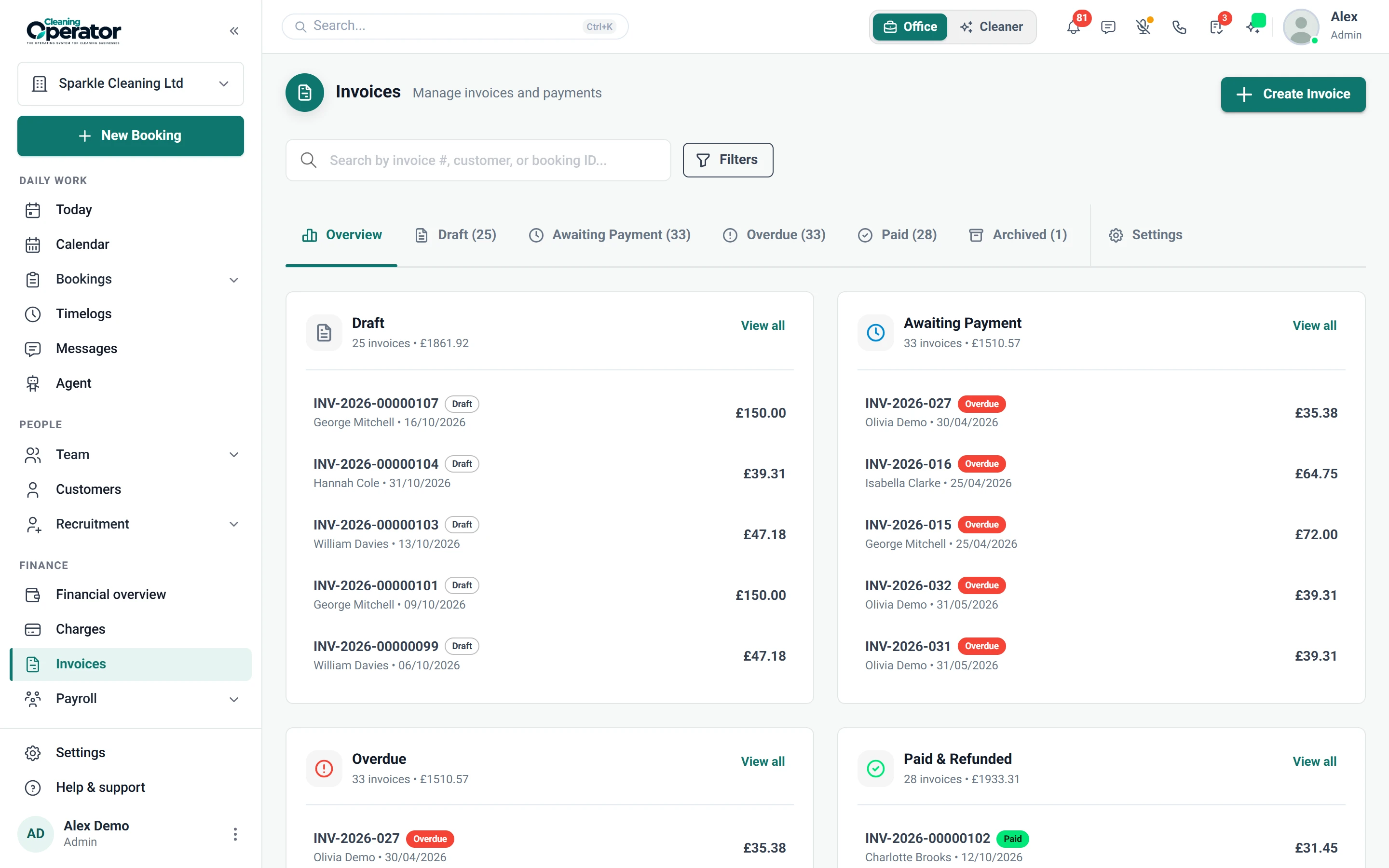
Screenshot of Invoices — Invoice list and editor

What is included

2 features in Invoices.

The problem each one solves, then how Cleaning Operator fixes it, with the screens and settings named.

  1. Invoice list and editor

    Create, send, record payment on and refund invoices, standalone or generated from bookings.

    The problem

    Invoices live in a Word template and a spreadsheet, and I can't tell at a glance who's overdue.

    With Cleaning Operator

    Overdue invoices stand out in one list marked draft, pending, overdue or paid. Record payments, refund or issue an adjustment from there.

    • Create a draft, or Create & Send, after adding lines
    • Statuses include draft, pending, overdue and paid
    • Edit, record payment, refund, issue an adjustment invoice or view PDF
  2. Invoice settings

    Sets invoice numbering, due days, tax, branding and automatic payment reminders.

    The problem

    Asking a customer for money feels awkward, so overdue invoices sit for weeks before I send a reminder.

    With Cleaning Operator

    Reminders go out automatically before the due date, then repeat on your schedule once overdue. Invoices carry your logo, tax ID and contact details.

    • Reminder 1 and Reminder 2 days before due, plus an overdue reminder with a frequency and hour of day
    • Reminders need a verified sender email in Email Settings
    • Company branding on invoices: name, address, phone, email, website, tax ID and logo

Get paid faster

More for getting paid.

13 — Payroll

Payroll: See Payroll features

Pay from the hours they actually worked — then send payslips to the app.

  • Run payroll
  • Payroll history and payslips

14 — Reports

Reports: See Reports features

See what you earned, what you paid, and what changed — without exporting five spreadsheets first.

  • Financial report
  • Customer reviews report
  • Booking changes log

11 — Payments

Payments: See Payments features

Take cash, save a card, or send an invoice — then collect what is due from one queue.

  • Stripe (card payments)
  • Add-card form (public / request a card)
  • Charges workbench (admin)

Start today

Run the whole cleaning company from one system.

Online booking, the live team calendar, the mobile app, card payments and invoices, and payroll from clocked hours.

14-day free trial on every plan. Cancel anytime, no lock-in contract.