Skip to content
Cleaning Operator

Plan every day

Services, extras and cleaning checklists

Every quote is different, and nobody agrees what a finished clean looks like.Set your services, prices, extras and areas once, and give each service a checklist your cleaners complete in the app.

14-day free trial on every plan. Cancel anytime, no lock-in contract.

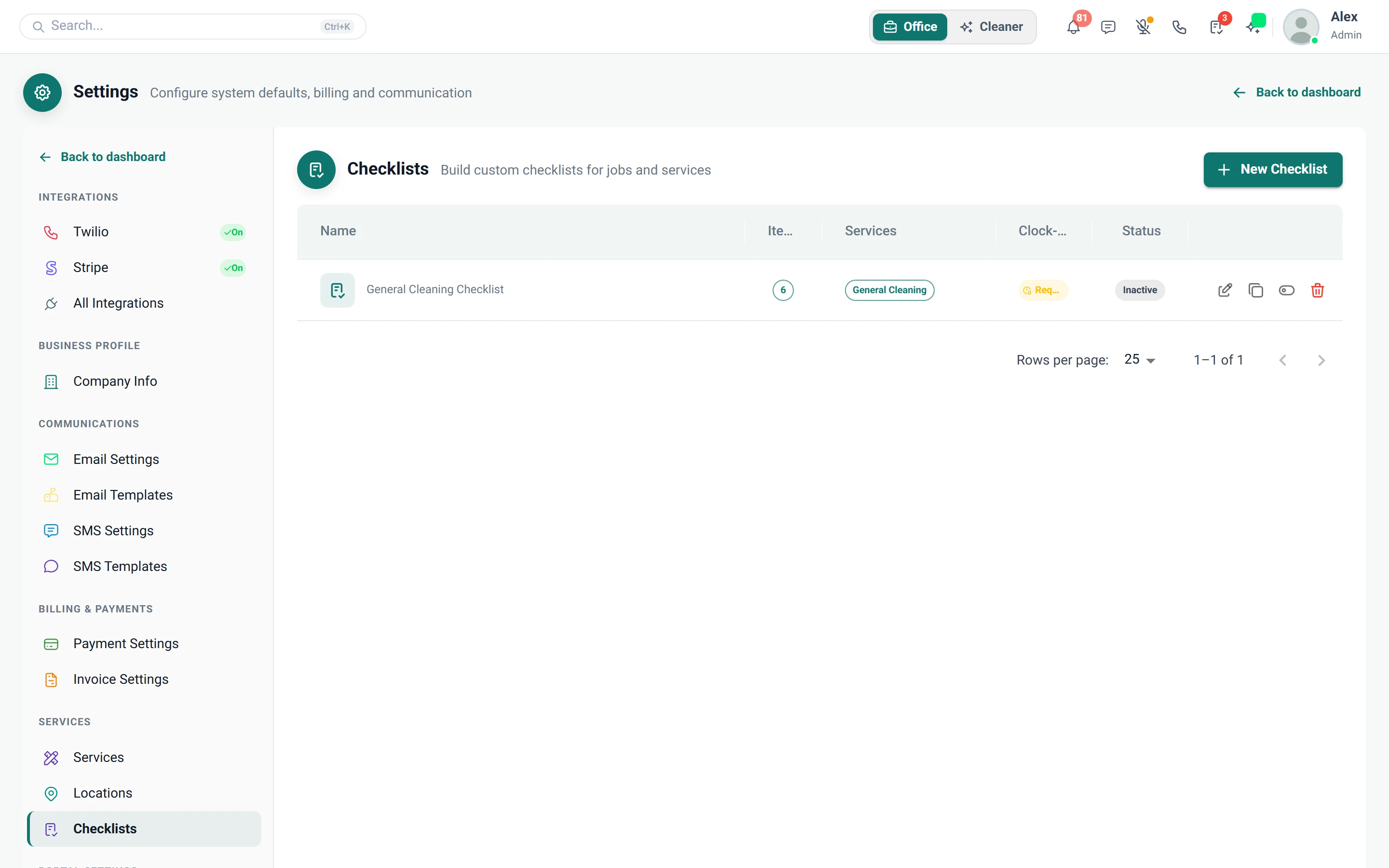
Screenshot of Settings — Checklists

What is included

5 features in Services & checklists.

The problem each one solves, then how Cleaning Operator fixes it, with the screens and settings named.

  1. Industries

    Groups of services, such as Domestic, Commercial or End of Tenancy; shown on the form only if you have more than one.

    The problem

    Office contracts and domestic cleans get muddled together on the booking form and in the figures.

    With Cleaning Operator

    Domestic, commercial and end of tenancy work stay separate on the form and in reports, because each sits in its own industry.

    • Settings → Industries
    • Each has an internal name, optional public name, description, optional service fee and an active flag
    • Keeps domestic and commercial work distinct on the form and in reports
    • Professional includes one industry; more than one needs the Business plan or above
  2. Services

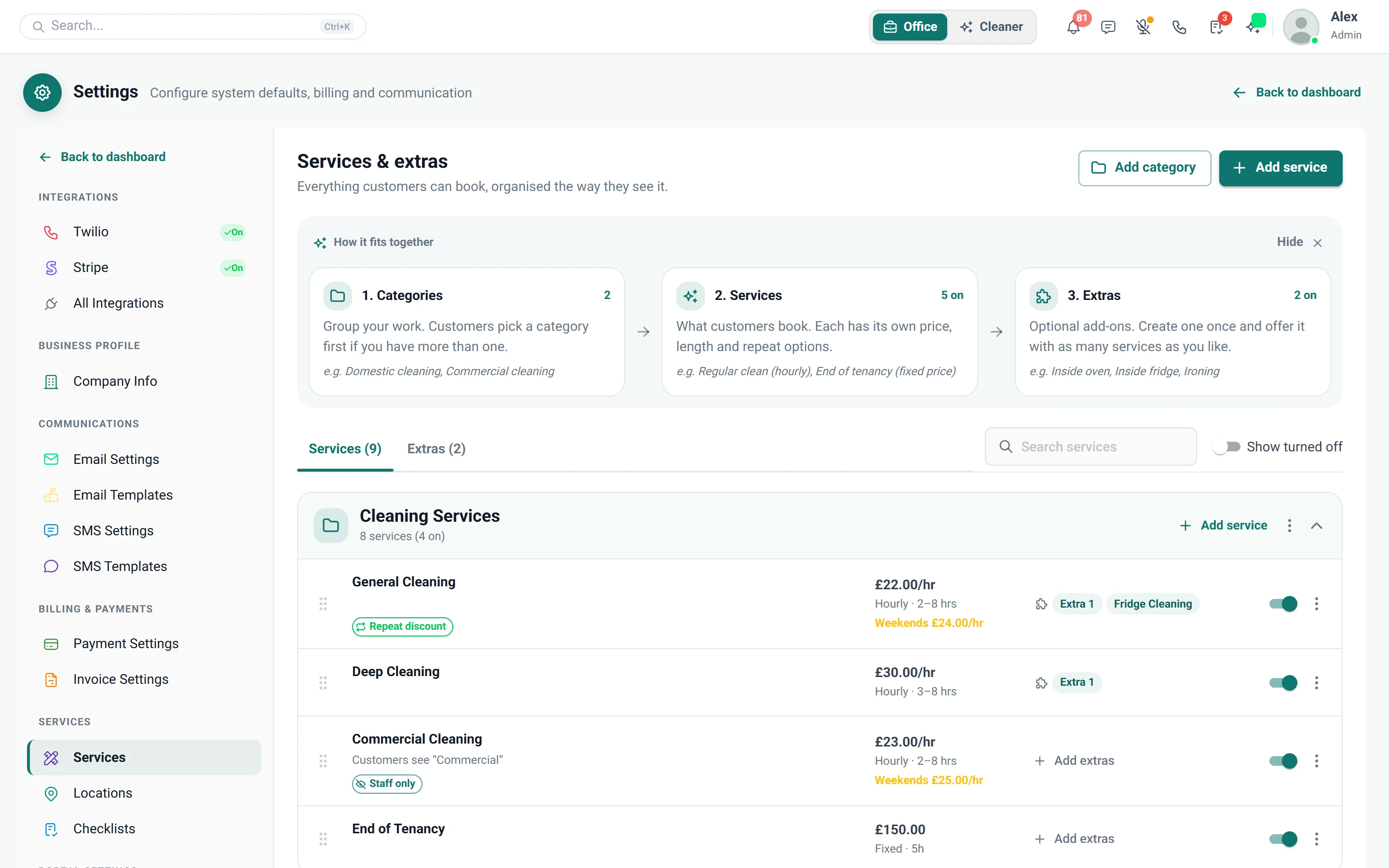
    The products customers book, with hourly or flat pricing, recurring options and visibility rules.

    The problem

    Two people quote two prices for the same clean, and weekend rates and discounts for regulars are guesswork.

    With Cleaning Operator

    Everyone books from the same price list. You set hourly or flat rates, weekend rates and recurring discounts, and choose who sees each service.

    • Hourly or flat rate, with optional weekend hourly or weekend flat rates
    • Visible to Customers (portal) and Visible to Public (form and embed) can be set separately
    • Recurring Options and Discounts (percentage off for chosen frequencies)
    Screenshot of Settings — Services
  3. Service extras

    Reusable add-ons with a price and extra minutes, attached to the services that offer them.

    The problem

    Staff charge different amounts for the same add-on, and nobody adds the extra time to the job.

    With Cleaning Operator

    Each add-on carries one price and its extra minutes. You set it once, link it to the services that offer it, and job length adjusts.

    • Settings → Service Extras, then link extras on each service
    • Optional quantity with a min and max; extra minutes add to job length
    • Add-ons are reused, so staff do not invent different prices for the same extra
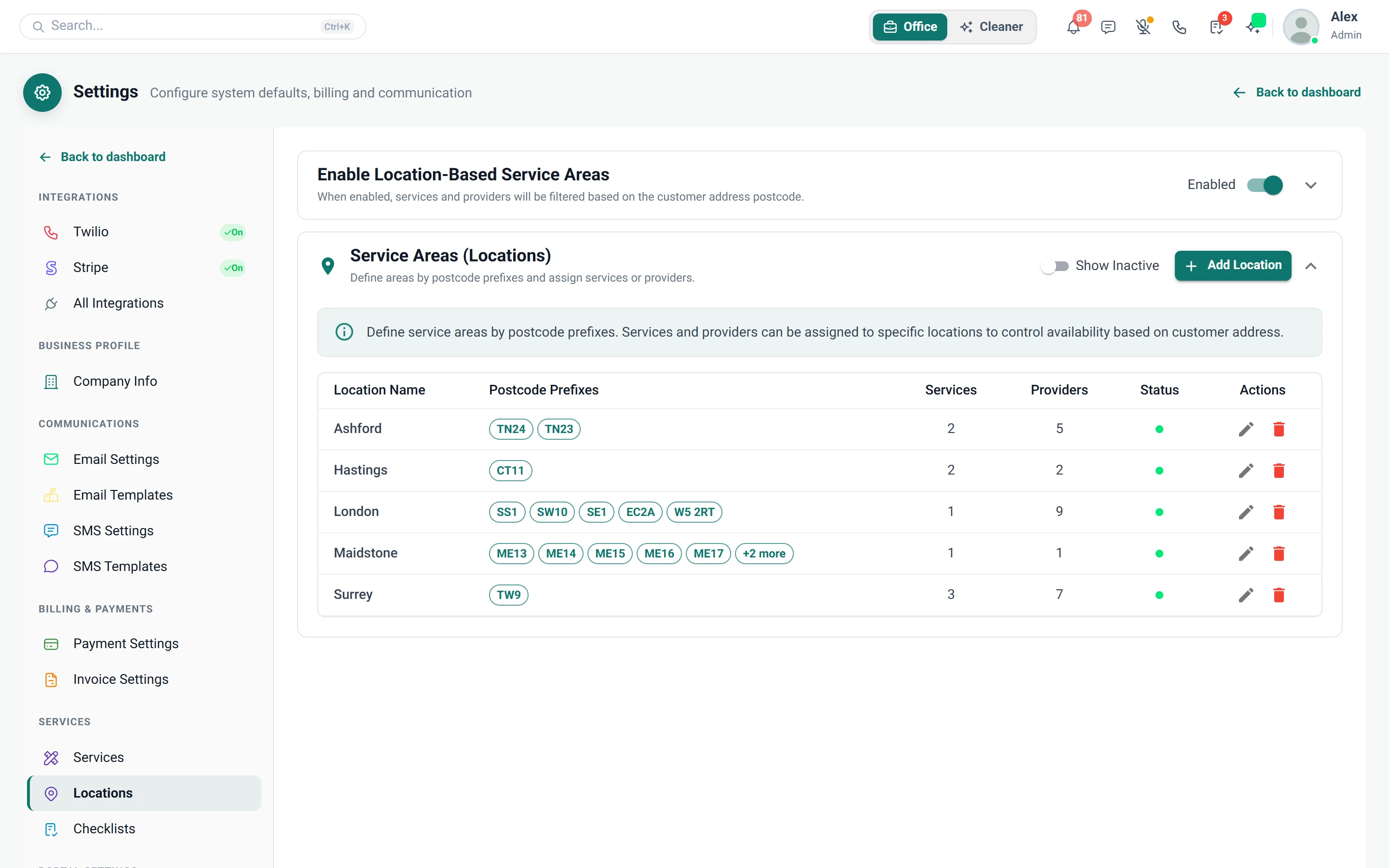
  4. Locations (service areas)

    Limits which services and cleaners are offered, based on the customer's postcode prefix.

    The problem

    Customers book services we don't offer in their area, and I'm ringing them back to cancel.

    With Cleaning Operator

    The booking form offers only the services and cleaners that cover the customer's postcode. Add areas by prefix, such as SW1, and tick who covers each.

    • Settings → Locations; turn on Enable Location-Based Service Areas
    • Add locations with one or more postcode prefixes, such as SW1 or M1
    • Tick which services and cleaners cover each location; the booking form filters by the address postcode
    Screenshot of Settings — Locations
  5. Checklists

    Structured “what to clean” forms with ticks, notes, photos and signatures, completed by cleaners in the app.

    The problem

    Every cleaner has their own idea of a finished clean, and new starters miss the skirting boards.

    With Cleaning Operator

    Cleaners work from your list, not their own idea. Build checklists with ticks, notes, photos and signatures, and attach them to the right services.

    • Building blocks: heading, text, short and long input, image upload, dropdown, checkboxes, radio buttons and a signature pad
    • Assigned to services and can be overridden per booking
    • Show completed checklists to customers is a Customer Portal setting

Plan every day

Related features.

07 — Customers

Customers: See Customers features

One record for each client: addresses, cards, invoices, messages, and how they like to be contacted.

  • Customer list and add customer
  • Customer profile (admin)
  • Import customers

01 — Booking

Booking: See Booking features

Take the call yourself, let existing customers book online, or put a booking form on your website — same services, prices, and availability everywhere.

  • Admin booking form
  • Public booking form
  • Customer portal booking form (self-service)

Start today

Run the whole cleaning company from one system.

Online booking, the live team calendar, the mobile app, card payments and invoices, and payroll from clocked hours.

14-day free trial on every plan. Cancel anytime, no lock-in contract.